Docs Build your own
Build with Zara
You describe the service in plain language. Zara looks for a ready one or writes a new one, and you get the link.
You describe what you need, in plain language. Zara turns it into a service that runs on the company’s devices, with its own link, ready for people and systems to use.
How it works
- You tell it the problem: what goes in, what has to come out, where the files come from. You can attach an example.
- Zara looks in the catalog for a ready service that solves it. If there is one, it is set up the way you need.
- If there is none, Zara writes the service. When the platform refuses something, the refusal shows up in the conversation in plain language, with the reason, and Zara fixes it.
- You check the plan before anything is created: the service name, what it receives, what it returns and where it will run.
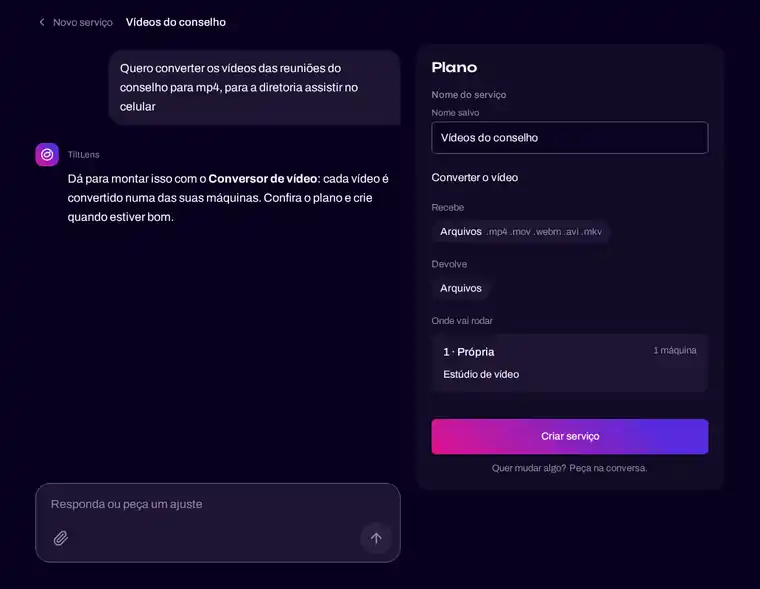
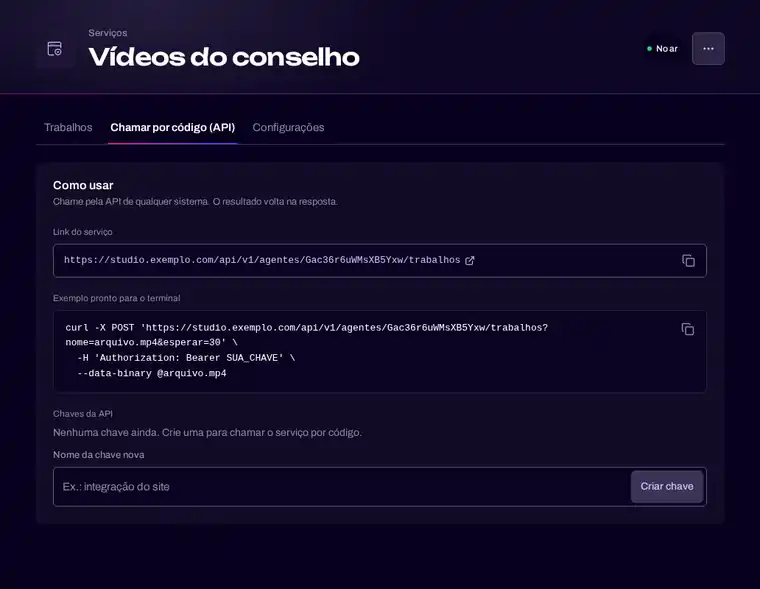
- You get the service, with its link and the way to call it from other systems.
Evolve without losing anything
“Make it also accept PDF” works too. Zara adjusts the service and the original is kept. Every change goes into the history, and undoing is just asking.
What it builds
Zara is at its best with services that process files (documents, images, audio, video, spreadsheets) and with services that answer with AI. For the rest, such as your own code in any language, or a pipeline from your repository, see With your own code and Distributed CI/CD.
And then
Every service Zara creates can be called by your systems. See Connect your systems.